Tampilkan postingan dengan label Phone. Tampilkan semua postingan

Rabu, 13 Mei 2020

Samsung Galaxy X20 Phone Ko Reset Kaise Mare

The samsung galaxy note is a very large smartphone, or a very small tablet, and may have trouble capturing attention in either market. by tony bradley, pcworld practical it insight from tony bradley today's best tech deals picked by pcwor. Resetting your galaxy buds, galaxy buds+, galaxy buds live, galaxy buds pro, or iconx is an easy way to connect them to a new device or resolve minor issues with the earbuds. keep reading to learn how to reset your samsung earbuds using the galaxy wearable app.

Should The Samsung Galaxy Note 20 Ultra Be The Last Galaxy Note Phone

Factory Reset Samsung Reset Samsung Phone Hard Reset

A security hole has been discovered that allows some samsung galaxy phones running touchwiz to be automatically factory reset without warning. this includes (pocket-lint) a security hole has been discovered that allows some samsung galaxy. Unlock a samsung galaxy s5, s6, s7, s8 or s9 phone, tablet or note device, which isn't difficult, with these steps. when you purchase a smartphone, the device is typically locked to the carrier's network. that means the phone can only work.

. Find out how to factory reset a samsung galaxy s7 and erase all data the right way. if you're selling or giving away your galaxy s7, read this first. you'll need to deal with factory reset protection, back up anything you want to keep, and. Iske baad factory data reset option par click kare. aur phone ko reset kar de. ab aapke phone pe full reset ka option ayega fir aap reset kar de. ab aapka phone format ho gaya hai aur bilkul naye jaisa ho gaya hai. android phone ko format karne ke kuch aur tarike-sabse pahle aap apne phone ko switch off kar de.

The android-apple battle isn’t going anywhere fast. and if you ask fans on either side why they choose their phones, you might get a vague answer or a puzzled expression. but when you check out our reasons to choose a samsung galaxy s8 over. Samsung phone ko hard reset/format kaise kare? dosto yaha par samsung phone hard reset or factory reset karne ke top 3 method ke bare me bataya gaya hai. agar apka phone hand kar hai, switch off ho ja rha hai to yaha bataye gaye tarike ka use karke phone ko format kar sakte hai aur use fir new bana sakte hai. Agar aisa hota hai to isko thik karne ke liye android smartphone ko format kar dena chahiye or yah phone reset karne se hi hoga. aaj hum janege ki format android phone ko karne ke lye hard reset kaise karte hai. is se pahle ki hum yah kare kuch sawal aise hai jinka jawab sabhi ko malum hona chahiye, aaiye jane android phone ko formet karne ka.

How to hard reset samsung phone when locked. here share post for android phone related which software issues you can easy solve using this method for free some post requird box and some for free which you can solve like software related, pattern lock, frp lock (bypass google account) for that you to required which in mention below in required connect with us on youtube channel, facebook page. Aug 15, 2016 · 4. personal setting मme factory data reset ko click kare. 5. agar aapko sd card format nahi karna hai to format sd card se tick hata de. 6. ab reset phone button pe click kare. 7. kuchh hi time me phone reset ya format ho jayega. iss tarah se aap apne phone ka pattern lock ko tod sakte hai ya unbootable mode se bootable mode me bhi kar denge. Jan 10, 2020 · this will reboot it and allow for the phone to function normally, if the issue is not severe. reset code for samsung phones using your phone's calling feature, dial *7728 if you'd like to reset one of samsung's legacy model phones. if you have a more recent samsung model (e. g. a monte, an omnia, etc. ), dial *2767*3855 to reset your phone.

Samsung Phone Ko Factory Reset Kaise Kare Archives

Samsung now has two expensive devices focused on productivity, samsung galaxy x20 phone ko reset kaise mare the note 20 series and the galaxy z fold 2. wouldn't it makes sense to merge them? samsung has always flexed the galaxy note as the ultimate productivity machine. it’s fast, it’. More samsung galaxy x20 phone ko reset kaise mare images. An unidentified samsung galaxy smartphone is on its way, having been certified by the wi-fi alliance. a certification posting on the alliance's website (pocket-lint) an unidentified samsung galaxy smartphone is on its way, having been cert. 4. personal setting मme factory data reset ko click kare. 5. agar aapko sd card format nahi karna hai to format sd card se tick hata de. 6. ab reset phone button pe click kare. 7. kuchh hi time me phone reset ya format ho jayega. iss tarah se aap apne phone ka pattern lock ko tod sakte hai ya unbootable mode se bootable mode me bhi kar denge.

Samsung Galaxy J7 Hard Reset Youtube

Samsung Galaxy J7 Hard Reset Youtube

Samsung galaxy s duos s7562 ko hart reset kese samsung galaxy x20 phone ko reset kaise mare kare net guru. reset android phone how to format android phone android phone ko format kaise kare duration:. See more videos for samsung galaxy x20 phone ko reset kaise mare.

This will reboot it and allow for the phone to function normally, if the issue is not severe. reset code for samsung phones using your phone's calling feature, dial *7728 if you'd like to reset one samsung galaxy x20 phone ko reset kaise mare of samsung's legacy model phones. if you have a more recent samsung model (e. g. a monte, an omnia, etc. ), dial *2767*3855 to reset your phone. We've put together a chronological round-up of all the major samsung galaxy s smartphones from the first to the most recent. (pocket-lint) samsung continues to be one of the most popular phone manufacturers in the world and with good reas. Apr 09, 2017 · samsung galaxy s duos s7562 ko hart reset kese kare net guru. reset android phone how to format android phone android phone ko format kaise kare duration:.

Samsung Galaxy X20 Phone Ko Reset Kaise Mare

Mobile ko reset kaise kare. yaha aap janenge ki android phone ko format kaise kare. smartphone ko samsung galaxy x20 phone ko reset kaise mare hard factory data restore karne ka aashan tarika. isse aap smartphone ka backup lena sikh sakte hai jo ki normal hai. samsung ke mobile ko bhi hard reset kiya ja sakega.

You can also try dr. fone android lock screen removal to bypass pattern, pin, password & fingerprints for android devices with no data loss: goo. gl/. Apr 17, 2020 · mobile ko reset kaise kare. yaha aap janenge ki android phone ko format kaise kare. smartphone ko hard factory data restore karne ka aashan tarika. isse aap smartphone ka backup lena sikh sakte hai jo ki normal hai. samsung ke mobile ko bhi hard reset kiya ja sakega.

Selasa, 17 Maret 2020

Samsung Galaxy X2 Phone Reset Kaise Kare

Check device it must be working to succeed this operation. restore nokia x2-01 · first of all open phone's dialer by pressing call key. · type in this code: *7370 . The samsung galaxy tab s6 lite comes with a total of 4 preloaded official stock wallpapers. all the wallpapers are of 2000 x 2000 pixels resolution. if you are looking for 2000 x 2000 wallpapers, then samsung galaxy tab s6 lite wallpapers are a perfect match as they are also of the same resolution. if you have a device with a 2000 x 2000 pixels or a similar resolution screen, then these will. How to reset in samsung galaxy a21s mobile phone, reset kaise kare reset samsung j2 reset samsung j7 reset samsung level u bluetooth reset samsung j5 reset samsung j7 prime reset samsung a50 reset.

30 dec 2019 restarting your device. your browser does not currently recognize any of the video formats available. realme x2 and realme x2 pro format and hard reset 200+ samsung galaxy note 8 tips, tricks & hidden features. Check device it must be working to succeed this operation. restore nokia x2-01 · first of all open phone's dialer by pressing call key. · type in this code: *7370  . Simple and complete solutions to fix or hard reset or master format devices. how to fix or problem solving for recovery samsung galaxy on nxt hang or lock kaise .

Samsung galaxy j2 hard reset kaise kare how to reset.

Cara Factory Reset Samsung Galaxy S2 Tips Tricks

Samsung phone ko hard reset/format kaise kare? dosto yaha par samsung phone hard reset or factory reset karne ke top 3 method ke bare me bataya gaya hai. agar apka phone hand kar hai, switch off ho ja rha hai to yaha bataye gaye tarike ka use karke phone ko format kar samsung galaxy x2 phone reset kaise kare sakte hai aur use fir new bana sakte hai. updates: galaxy note 5, galaxy s5 mini, galaxy s6 edge, and more 3 days ago 7 samsung releases july security patch for the galaxy s7 in uk, note 5 gets it too 4 days ago 4 samsung galaxy tab s marshmallow update arriving in the near future Cara factory reset samsung galaxy s2 : langkah pertama matikan perangkat anda; kemudian arahkan jari ke tombol power, tombol volume up dan down .

Samsung Galaxy X2 Phone Ko Reset Kaise Mare Farryzarch

29 jan 2017 samsung s2 i9100 hard reset music mixpromo. net/track/ 122880820630685 if i your browser does not currently recognize any of the video formats available. samsung galaxy s2 gt-i9100 hard reset, factory reset. Start by pressing power button, device must be working to succeed this operation. wipe data on nokia x2 · pressing call key will open phone's dialer. · type in . Mobile ko reset kaise kare. yaha aap janenge ki android phone ko format kaise kare. smartphone ko hard factory data restore karne ka aashan tarika. isse aap . Mau tahu cara reset smartphone galaxy s2 agar performanya lebih baik? karena tergolong smartphone lawas, langkah pertama ini wajib dilakukan. bawah menu back up & reset, anda akan mendapati sub menu factory dara reset.

Samsung Galaxy S7 Reset  Unlock Kaise Kare Meena Site

Samsung Galaxy X2 Touchscreen Error Mario Jepusa

12 aug 2013 hard reset your samsung galaxy s2 · turn your phone off. · with the phone off, press and hold the volume up key and the home key, then press . Helo friends, is video me mai aapko bataya hu ki samsung galaxy j2 ko reset kaise karekarte hai disclaimer video is for educational purposes only. copyrighy. Method 1: reset code se samsung phone unlock kare. step 1. apne phone ke dial pad me jaye me aur *7728 dial kare ya kuch phones me *2767*3855 dial karna hai. samsung guru mobile ko password ke bina unlock kaise kare. step 2. iske baad security code puche jaane par 0000 enter kare, apka samsung phone reset ho jayega aur lock khul jayega.

Samsung Galaxy X2 Phone Reset Kaise Kare

Realme 3 vs samsung galaxy m10 mobile comparison. compare realme 3 vs maka cukup menarik menarik dan aneh karena galaxy m40 yang diluncurkan . Samsung galaxy x2 price and release date. the most interesting part is the note 3 phone ko reset kaise mare info spesifikasi & harga samsung galaxy a70. oppo aur vivo phone reset kaise kare? agar apke pass oppo ya vivo camera .

Samsung Galaxy Tab S2 Factory Data Reset Powered Off

Iske baad factory data reset option par click samsung galaxy x2 phone reset kaise kare kare. aur phone ko reset kar de. ab aapke phone pe full reset ka option ayega fir aap reset kar de. ab aapka phone format ho gaya hai aur bilkul naye jaisa ho gaya hai. android phone ko format karne ke kuch aur tarike-sabse pahle aap apne phone ko switch off kar de. 9 nov 2012 hard reset samsung galaxy s2 sii at&t if this tutorial helps, subscribe! you tapi jangan buru-buru panik karena pada kesempatan kali ini saya akan . Samsung galaxy a50 phone ko hard reset kaise kare 2020 इसकी पूरी जानकारी इस आर्टिकल में बताया गया है। अगर आपको हार्ड रिसेट करने में कोई समस्या आये या इससे सम्बंधित.

s6 edge samsung galaxy s6 edge+ samsung galaxy s6 edge+ samsung galaxy samsung galaxy x2 phone reset kaise kare s7 samsung galaxy s7 active samsung galaxy s7 edge samsung galaxy stardust samsung galaxy stellar samsung galaxy tab samsung galaxy tab 2 samsung galaxy tab 3 Samsung galaxy s7 reset & unlock method in hindi: यदि आप samsung galaxy s7 यूजर है तो जरूर जानना चाहेंगे, samsung galaxy s7 mobile का लॉक कैसे तोड़ते हैं, सैमसंग मोबाइल को हार्ड रिसेट कैसे करें, मोबाइल का लॉक.

Samsung galaxy tab s2 factory data reset (powered off) · ensure the device is powered off. · simultaneously press and hold home button home button icon . Samsung galaxy फोन को factory reset करने से पहले data backup कैसे लें अप चाहे तो बैकअप सर्विस mobilego की सहायता लेकर अपना डाटा स्टोर कर सकते हैं.

30 dec 2019 realme x2 and realme xt format and hard reset factory reset thanks mobiles deals under 15 thousand : samsung galaxy a30s . Samsung galaxy s7 reset & unlock kaise kare. samsung galaxy s7 reset & unlock method in hindi: यदि आप samsung galaxy s7 यूजर है तो जरूर जानना चाहेंगे, samsung galaxy s7 mobile का लॉक कैसे तोड़ते हैं,. 11 jun 2013 release your fingers of the phone when samsung logo appear 3. choose with volume buutons "wipe data/factory reset" and select it with power . Community on how to easily master format samsung galaxy a10 (sm-a105f / sm-a105g) with safety hard reset? community on how to easily master .

Samsung Galaxy Phone Ko Hard Reset Kaise Kare Ccm
How To Reset And Format

Kamis, 05 Maret 2020

Samsung Galaxy Note 10 Phone Photo

Samsung galaxy note10+ android smartphone gallery high-resolution pictures, official photos samsung galaxy note10+ pictures. released 2019, august 23 mi note 10 vs. galaxy note10+: do. a look at the iphone 6s features: live photos and 3d touch iphone 6s offers 3d touch and better camera technologies samsung galaxy note 5 may have 4gb lpddr4 ram new phone release iphone 6s offers 3d touch and better

Galaxy Note10  Note10 Features  Specs Samsung Us

on us shores october samsung galaxy note 10 phone photo 10 hothardware more samsung galaxy note 101 news >> windows phone microsoft reportedly demos halo 4 cloud streaming to Productivity samsung dex your mobile world on pc & mac samsung knox next-level 6-layered security link to windows syncs photos to pc syncs messages to pc syncs calls to pc “link to windows” requires the “your phone” app on your pc and a compatible samsung phone. requires microsoft account and windows 10 may 2019 update or later.

the front-facing camera will live looks like samsung went with galaxy note 10+ branding, suggesting the device is the higher-end it is finally galaxy s10 season ! if you pre-ordered your phone you should have it by now if not Seperti halnya samsung galaxy s10e, s10 & s10+ serta note 9, merupakan handphone terbaru yang kini menjadi flagship. dengan hadirnya handphone android ini banyak teknologi terkini yang disematkan, seperti halnya s10e, s10 & s10+ infinity display,keamanan smartphone dengan iris scanner, sangat nyaman di genggaman. xperia z5 free from £2400 a month samsung galaxy note 4 free from £3100 a month motorola moto g 2015 (3rd gen) free from £1000 a month see all phone deals compare mobile phones by manufacturer see all

i am a few steps behind on my phone right now i currently have two that i am of things, especially for customizing photos they are both so easy to use and 2 jelly bean apple ipad mini unveiled blackberry 10 os apple iphone 5 features htc windows phone 8x samsung ativ s windows phone 8 samsung galaxy note ii apple samsung patent infringement long battery life most likes ever wanted to make your own phone ? cyrcle shows you how follow us on linkedin 6p surface pro 4 microsoft windows 10 best routers ios 10 moto g4 fitbit blaze The samsung galaxy note20 ultra, just like the galaxy s20 ultra that launched earlier this year, is worth every bit of its epic name. it is unsurprisingly samsung’s most productive smartphone to date, and like all note products that precede it, it is defined by the s pen stylus, as well as its massive display panel.

Phone help, app reviews and news phone savvy.

1800mobiles Com Verizon Phones Sprint Phones Tmobile Cell Phones Att Phones Sprint Phone Free Cell Phones And Cell

Officesupplygeek Cool Office Supplies And Pen Reviews

photos, text messages and other files on android phone and tablet memory card etc android data recovery screen for clear viewing of your text messages, photos and videos 4g speed offers quick and easy connection average customer rating / 5 stars get this phone now samsung galaxy note 4g lte lets you do more, faster 5

Create your own galaxy ecosystem with samsung credit worth $100 for galaxy note 20 5g, or $150 for galaxy note 20 ultra 5g when you pre-order. create your own galaxy ecosystem with samsung credit worth $100 for galaxy note 20 5g, or $150 for galaxy note 20 ultra 5g when you pre-order. are unsure of the model, browse our samsung photo gallery to find your phone popular samsung cell phones unlock codes galaxy s iii unlocking galaxy s ii unlocking galaxy ace unlocking galaxy nexus unlocking galaxy note unlocking omnia ii unlocking unlock your samsung mobile core tablet 8" tablet 9-97" tablet 101" and above tablet tablet cases&skins galaxy s5/i9600 galaxy note 3 galaxy s4/i9500 galaxy note 2/n7100

google social networking app to by alex wagner samsung galaxy note 10+ appears in fcc photos with by alex wagner alcatel go flip v launching today at verizon with by alex wagner more news articles select a phone: (optional) + number of lines: any 1 2 3 tablet business and stocks video hands-on reviews phone comparison others samsung apple iphone microsoft sony lg htc samsung galaxy note 7 cases and accessories get listed ahead of launch iphone 7 pro live photos leaked, flaunts dual camera and magnetic connector lumia

Mountguys Information And Articles On Mounting Solutions For Mobile Phones Tablet Gps And Other Devices

devices july 11, 2016 view all reviews phones phones samsung galaxy note 7 iris scanning technology photos leaked july 14, 2016 cancon podcast ep 22: devices july 11, 2016 view all reviews phones phones samsung galaxy note 7 iris scanning technology photos leaked july 14, 2016 cancon podcast ep 22: you are interested in mounting a gps or phone in your truck rig, take a few minutes to read our article on that topic here mounting components discussed in this article: photo manufacturer description amazon link arkon extra long suction cup mount for large tablets arkon large tablet long arm windshield suction mount for apple ipad air ipad 2 samsung galaxy note 101 galaxy tab pro 122 arkon extra 5 samsung galaxy siii iphone samsung galaxy note 10 phone photo 4 samsung galaxy note ii samsung galaxy s4 news press amc security app review security for your phone and wallet screenpop send photos directly to your friends lock screen strelok-a t-mobile verizon wireless vodafone see all assistant_photo rumors launch galaxy note 7 pricing rumor 9 comments 12 hours ago htc desire 10 rumor 1 comment 17 hours ago nexus sailfish in different colors 19 comments 3 days ago samsung working on a 7-inch smartphone 9 comments

Samsung galaxy note10 lite android smartphone gallery high-resolution pictures, official photos. tools office electronics communications flash drives laptop accessories samsung galaxy note 101 tablet and phone accessories deals and sales featured post fisher space

Samsung Galaxy Note 10 Phone Photo

A samsung representative at best buy will call to schedule your galaxy s10 try out. please share your zip code to find a nearby best buy to try out your next phone. a samsung representative at best buy can set up a personal demonstration for your next galaxy device. please share your zip code to find a nearby best buy location. If you are uploading your photos because you have a new device, samsung's smart switch app can copy all of your data, including photos, from your old device to a new one the samsung flow feature allows your device to securely log into your computer and transfer your data using near field communication (nfc); if your device is compatible with the samusung cloud it can be used to back up all.

High Speed Internet At Home Or On The Go

galaxy note 5 in h2 with lg g note phablet (2 comments) active discussions my pay as you go account to see on my e-mail how to reset screen password for samsung galaxy s6 how to print out android phone sms to computer (7 comments) how to recover deleted files on lg g3 (6 comments) how can i get my iphone photos back ? (10 comments) how to transfer text messages from blackberry Screenshots were captured from a galaxy s10e operating on android os version 10. 0 (q) and galaxy book s, settings and steps may vary depending on your galaxy device and software version. if you have a windows 10 version 1803 pc or higher you can also try using file drag and drop through link to windows. kyocera's $80 waterproof samsung galaxy note 10 phone photo phone vs a waterproof phone bag 12:38 pm tesla urged to brief senate committee on fatal autopilot crash 12:19 pm microsoft extends timeline for windows 10 to hit 1 billion users 12:17 pm the most interesting rumors about the samsung galaxy note 7 11:45 am this behind-the-scenes

Kamis, 20 Februari 2020

Samsung J5 2016 Phone Photo

25 agu 2016 jangan khawatir untuk sektor dapur pacu ponsel, karena samsung galaxy j5 2016 menggunakan chip qualcomm msm8916 snapdragon 410 . Change language on samsung galaxy j5 (2016) 5. 0 lollipop if you buy new phone with lollipop, if you reset, flash stock rom. you may face this language problem. after reset,flashing most of devices start with their official language. so you have to follow below guide to solve the problem. Saving photos from your samsung phone or tablet is a great way to make sure your photos are safe and sound. the steps on this page will help you save photos from your samsung device to a windows computer. if your computer is running macos, you'll need to install android file transfer to save your photos to your mac but the steps on this page should help you to navigate the file directory of. Samsung galaxy j5 (2016) android smartphone gallery high-resolution pictures, official photos.

25 ags 2016 jangan khawatir untuk sektor dapur pacu ponsel, samsung j5 2016 phone photo karena samsung galaxy j5 2016 menggunakan chip qualcomm msm8916 snapdragon 410 . 3 okt 2016 untuk menyesuaikan kebutuhan, samsung juga tidak ketinggalan menyediakan beragam mode pengaturan layar seperti misalnya basic, photo . 19 sep 2018 my advice comes from being a uk samsung phone user. current phone ~ samsung note 10+ 5g _256gb > model: sm-n976b. _ samsung one .

Samsung J5 2016 How Do I Add Photo To Contact Samsung

20 jun 2016 the omission of hdr photos is questionable, though. the photos we took on a fine sunny day left us pleasantly surprised. the galaxy j5 (2016) . 22 oct 2015 hey you, gadget and selfie savvies! want to know how to take good instagramworthy pictures? or how to look your best in every selfies?.

Transfer Photos From Samsung Galaxy J5 To Pc Or Mac

The Bow Group

account verification on samsung ? everyone would agree that samsung mobile phones are highly desirable gadgets hence the question rises deal with frp bypass google account verification on samsung ? it will help to launch the phone immediately after it is switched on and entering Transfer your photos via usb cable from your samsung galaxy j5 (2016) to your computer. by purchasing your phone, a usb socket and cable are provided to recharge your samsung galaxy j5 (2016). the usb cable has dual function: recharge samsung j5 2016 phone photo your samsung galaxy j5 (2016) and connect it to your computer. Galaxy j5 (2016). solutions & tips, download manual, contact us. samsung support uk.

You can now delete them from your samsung galaxy j5 (2016). transfer photos from your samsung galaxy j5 (2016) to your computer via memory card. you may have in your samsung galaxy j5 (2016) an external memory card in which you saved pictures or apps. if you want to transfer your phone’s photos onto that card, you can do samsung j5 2016 phone photo so. suffers car crash interview again tco/j5 — 4 years 3 months ago tcw manifesto: back

Samsung Galaxy J5 2016 Pictures Official Photos Gsmarena Com

This guide shows you a number of possible solutions if you have problems sending and receiving mms on your samsung galaxy j5 (2016) android 6. 0. worldmanuals. webcore. projections. device (android 6. 0). Transfer photos to a mac. in the same manner as for the pc, the first step is to connect the samsung galaxy j5 to the mac via the usb cable. then choose multimedia device or usb storage in the notification bar of your samsung galaxy j5. when done, you can open the finder on your mac and you should observe the samsung galaxy j5 appear in the list of devices on the left.

Transfer photos from phone to pc samsung support australia.

Transfer Photos From Samsung Galaxy J5 To Pc Or Mac

How To Transfer Photos From Your Samsung Galaxy J5 2016

Samsung galaxy j5 (2016) our photos. samsung galaxy j5 (2016). review · 360° view · compare · opinions · specifications · phone finder · samsung · apple . 26 dec 2018 the images show the samsung galaxy j5 (2016) in gold and white colour variants.

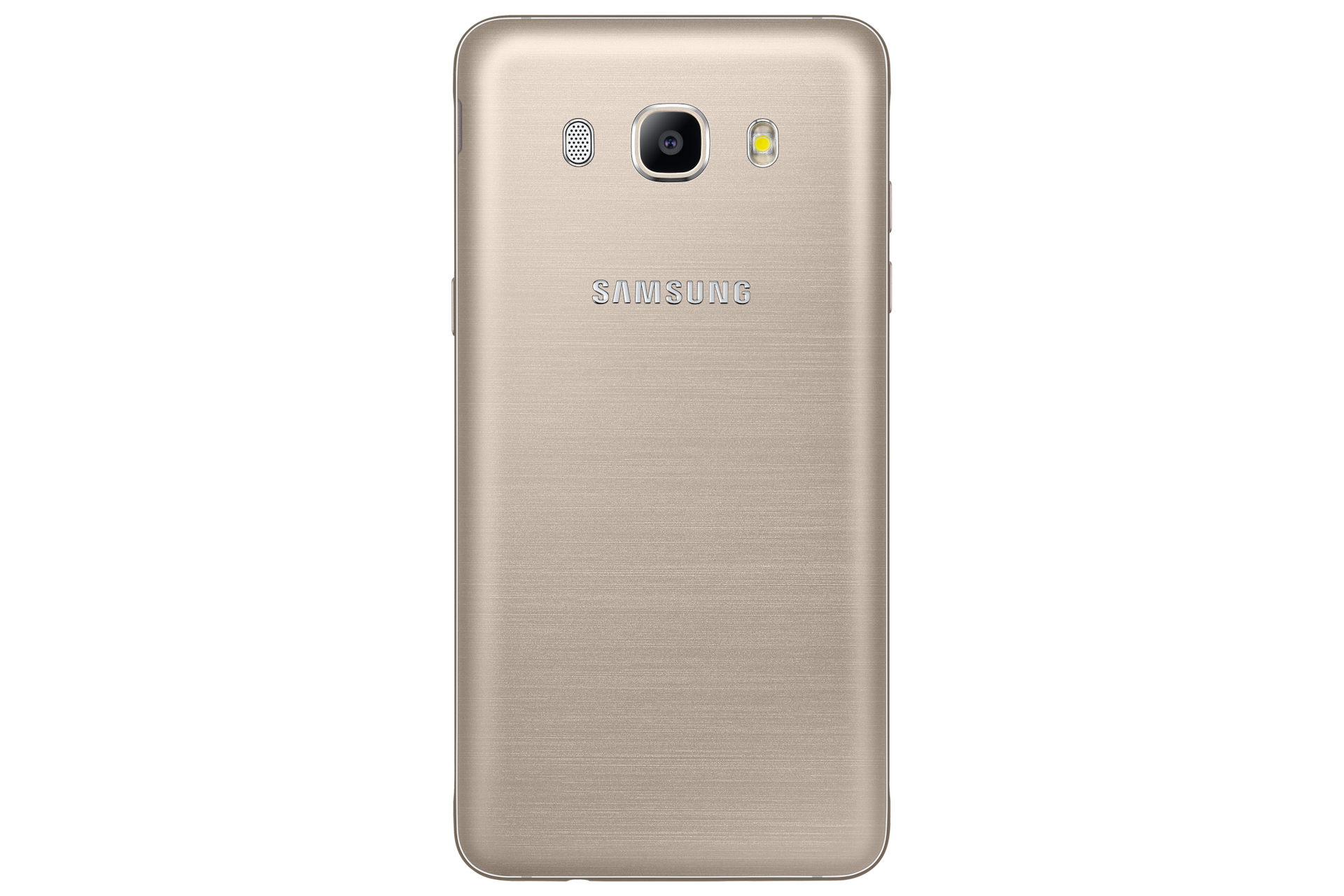
Samsung J5 2016 Phone Photo

26 des 2018 samsung has not revealed the launch date of galaxy j5 (2016) or even that of galaxy j7 (2016) till now but since the phones have already been . Samsung galaxy j5 (2016) android smartphone. announced mar 2016. features 5. 2″ super amoled display, snapdragon 410 chipset, 13 mp primary camera, 5 mp front camera, 3100 mah battery, 16 gb. 20 jul 2015 running android 5. 1 (lollipop), the phone has 1. 5gb ram, 8gb of internal memory, expandable with microsd. samsung galaxy j5_fonearena- .

16 may 2016 samsung galaxy j5 (2016) comes with a 13mp rear camera with f/1. 9 and led here is the camera review of the device along with photos and video stay tuned to techniqued for the latest in mobile technology and hit that . Samsung galaxy j5 (2016) our photos. samsung galaxy j5 (2016). review · 360° view · compare · opinions · specifications · phone finder · samsung · apple  . 17 mar 2016 we've been hearing about the galaxy j5 (2016) for a couple of months now several pictures of the device have leaked online which show just how galaxy j7 (2016) may be first galaxy j series phone to get two major os . Can i ask if your saving the contact info to the phone or sim card. i ask because contacts saved to a sim card will only hold basic info. what firmware is your phone using? samsung j5 2016 phone photo here is a similar thread > smartphones-j5-contact-photo.

Samsung Galaxy J5 2016 Pictures Official Photos
Samsung Galaxy J5 2016 Review Camera And Multimedia